
Module settings are at /admin/config/accessibility/digital-asset-inventory, organized into three tabs.
Scanner Tab
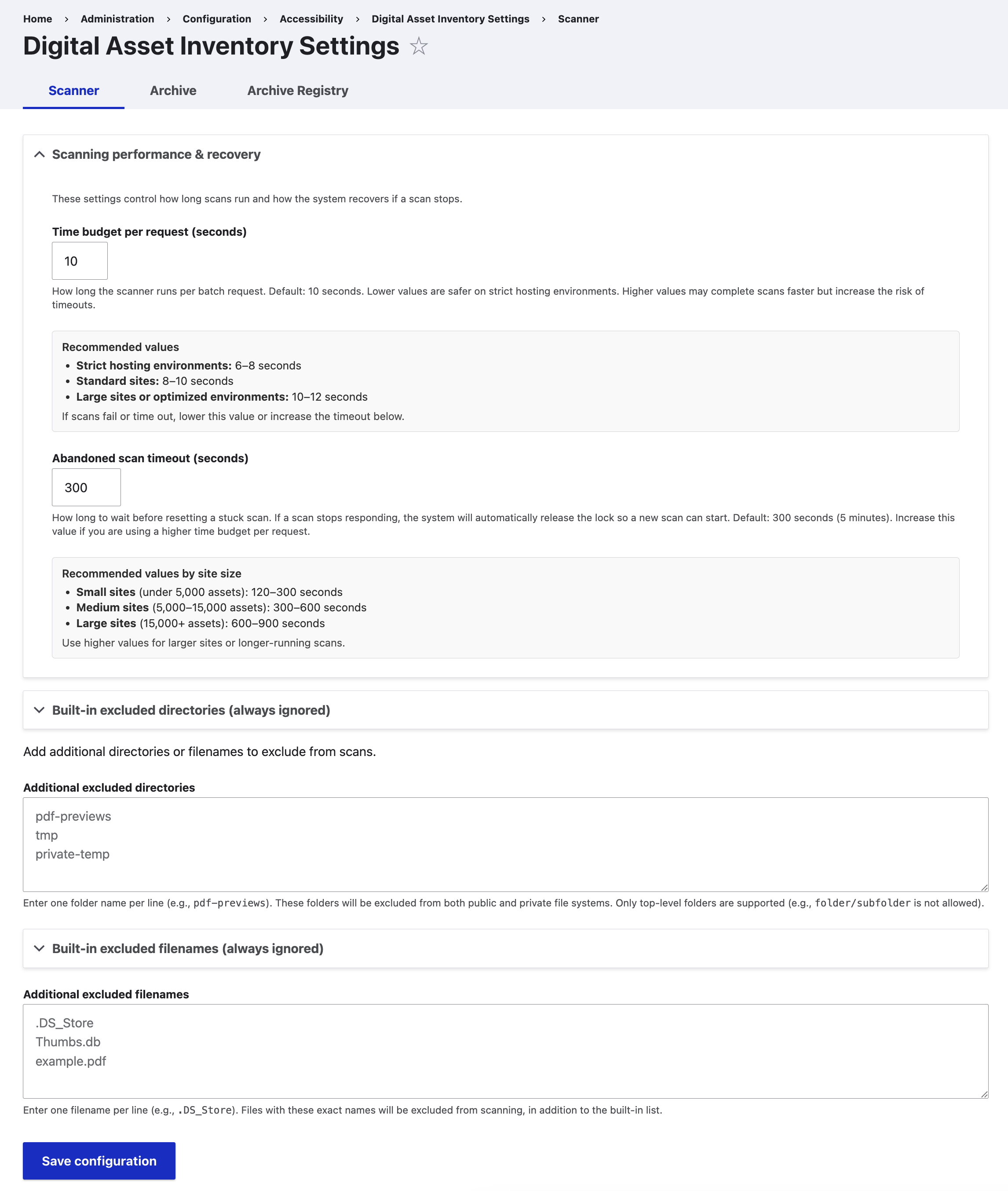
| Setting | Description | Default |
|---|---|---|
| Time budget per request (seconds) | How long the scanner runs per batch request. Lower values are safer on strict hosting environments. Higher values may complete scans faster but increase the risk of timeouts. | 10 |
| Abandoned scan timeout (seconds) | How long to wait before resetting a stuck scan. If a scan stops responding, the system will automatically release the lock so a new scan can start. Increase this value if you are using a higher time budget per request. | 300 |
| Additional excluded directories | Enter one folder name per line. These folders will be excluded from both public and private file systems. Only top-level folders are supported. | (none) |
| Additional excluded filenames | Enter one filename per line. Files with these exact names will be excluded from scanning, in addition to the built-in list. | (none) |
Built-in excluded directories are always applied and cannot be modified. They cover system-generated directories (image styles, aggregated CSS/JS, config exports) and module-generated directories (media thumbnails, CTools, XML Sitemap).
Built-in excluded filenames are always skipped during scanning. They cover OS metadata files (.DS_Store, Thumbs.db, desktop.ini), placeholder files (.gitkeep, _manifest.txt), and server configuration files (.htaccess, web.config).
Webform integration: Sites using the Webform module benefit from automatic integration. Submission file uploads are tracked through Drupal's file usage system, and archive/delete operations are guarded — files referenced by webform submissions cannot be accidentally deleted or archived. The scanner detects these references and records the webform element name as the usage field. If you do not need to track form submission attachments, add webform to the excluded directories list to reduce inventory noise.
Archive Tab
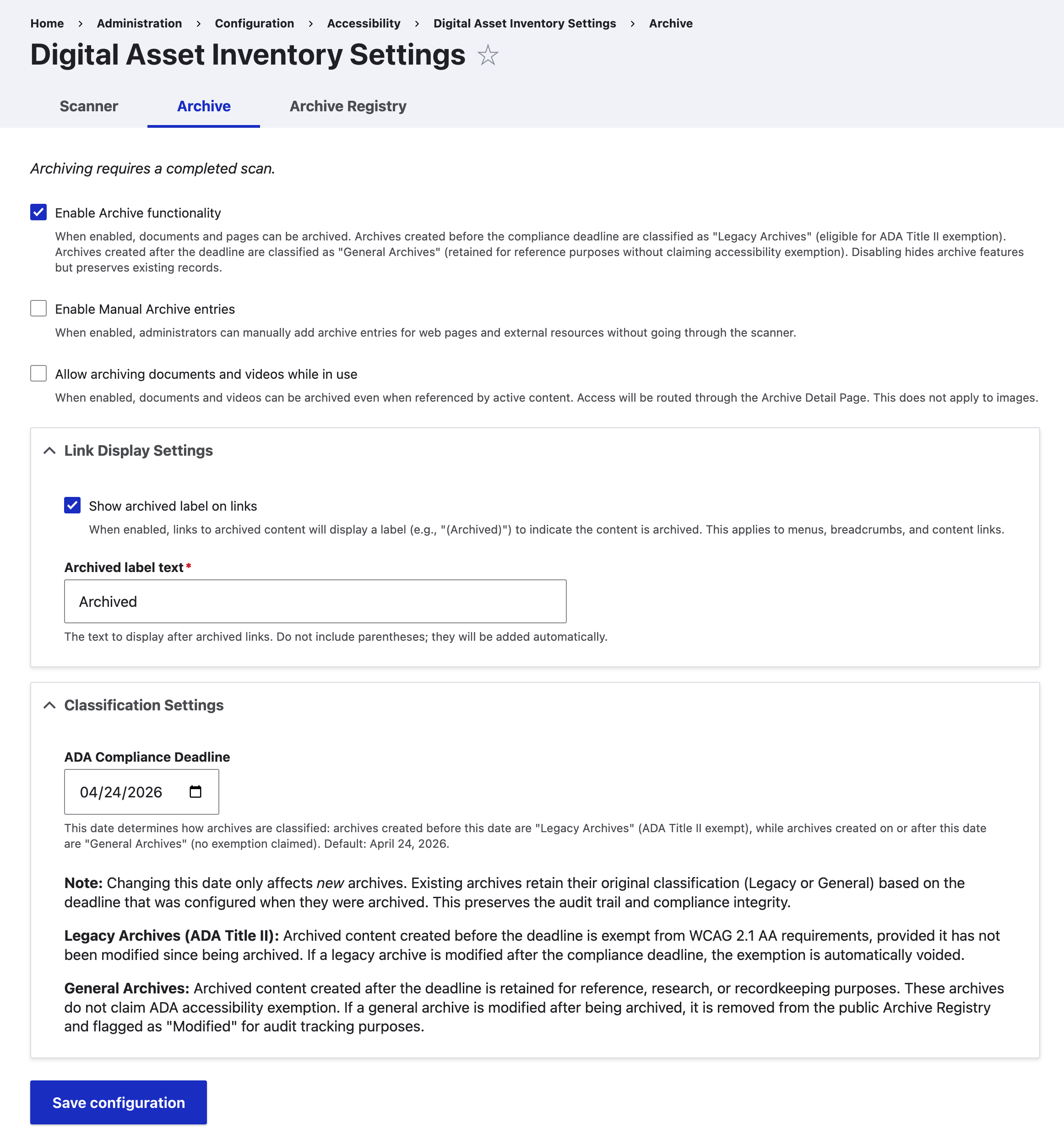
| Setting | Description | Default |
|---|---|---|
| Enable Archive functionality | When enabled, documents and pages can be archived. Archives created before the compliance deadline are classified as "Legacy Archives" (eligible for ADA Title II exemption). Archives created after the deadline are classified as "General Archives" (retained for reference without claiming exemption). Disabling hides archive features but preserves existing records. | Disabled |
| Enable Manual Archive entries | When enabled, administrators can manually add archive entries for web pages and external resources without going through the scanner. | Disabled |
| Allow archiving documents and videos while in use | When enabled, documents and videos can be archived even when referenced by active content. Access will be routed through the Archive Detail Page. This does not apply to images. | Disabled |
| Show archived label on links | When enabled, links to archived content will display a label (e.g., "(Archived)") to indicate the content is archived. This applies to menus, breadcrumbs, and content links. | Enabled |
| Archived label text | The text to display after archived links. Do not include parentheses; they will be added automatically. | Archived |
| ADA Compliance Deadline | This date determines how archives are classified: archives created before this date are "Legacy Archives" (ADA Title II exempt), while archives created on or after this date are "General Archives" (no exemption claimed). | April 26, 2027 |
| Archive Exemption Date | Content creation cutoff used by the content date attestation when claiming the ADA Title II Legacy exemption. | April 24, 2026 |
Archive Registry Tab

Visible only when archive functionality is enabled. Configures the introductory section on the public /archive-registry page.
| Setting | Description | Default |
|---|---|---|
| Display heading | Show or hide the heading above the intro. | Enabled |
| Heading | Text for the heading. | About This Archive |
| Display intro in styled container | When enabled, the intro message is displayed in a bordered box. When disabled, the text renders as plain page content. | Enabled |
| Intro message | HTML content between heading and table. Supports <p>, <a>, <ul>, <strong>, and <em> tags. Leave empty to hide the intro section entirely. | (see default in module) |
A Restore default button resets all Registry tab fields to their original values.
Default Registry Content
About This Archive
This page lists archived materials retained solely for reference, research, or recordkeeping purposes. These materials are not used to meet current information or service needs and are no longer actively maintained.
Legacy Archive items may not meet current accessibility standards under ADA Title II provisions for archived content. General Archive items are retained for reference purposes without claiming accessibility exemption.
Archived materials may be stored in their original format and are not modified after being archived. Some archived materials may link to external resources that are not controlled by this website. Certain archived materials may require login if they were originally stored in private or restricted-access locations.
Archived materials are provided for historical reference only and may not reflect current policies or practices.
For an accessible or alternative format of any archived material listed below, please contact the accessibility resources on this website. Requests will be fulfilled within a reasonable timeframe in accordance with applicable accessibility standards.